Crest Software
Cost effective project management software
Take Control by implementing Crest Software’s leading construction and engineering software solutions with the confidence that your management tools are supported by construction professionals who understand your precise requirements.
Click FREE DEMO to register...
BUY CS Project NOW! From ONLY £95.00...
NEW CS Project Express - ONLY £95.00
Click VIEW PDF for more information...
CS PROJECT PLANNING
( Formerly CS Project Lite )
This is an entry-level project planning tool suitable for planning individual projects of any size.
Use it in conjunction with CS Project Professional to effectively manage multiple projects.
CS Project Planning has been awarded the Editor’s Choice in the March issue of PC Plus Magazine...Full story
CS PROJECT PROFESSIONAL
CS Project Professional's advanced technical specification makes it the premier project planning tool suitable for corporate workgroups controlling multiple major projects, while its intuitive user interface makes it easy enough for casual and power users alike.

CS Project LITE - full features
Close
Project Planning
Using CS Project, planning a project is as simple as:
- Listing the tasks that need to be done, either by entering them into the spreadsheet or simply by drawing bars on the screen
- Deciding on the sequence in which tasks can occur by linking them with the
mouse in the bar chart or spreadsheet
- Deciding who is required to do each task by dragging a resource from the
histogram and dropping it onto one or more tasks (this step is optional)
- Estimating the cost of each task using fixed or variable costs (this step is
optional)
Project Builder
if you are new to CS Project, then Project Builder will guide you through the creation of your project, step-by-step.
- Step-by-step instructions on setting up the calendar and project details
- Define the work and the sequence in which it can be done
- Create resources and assign them to the tasks
- Define the calculation options used during updating
- Set up the spreadsheet and print a report
Analyse your plan
Once the project has been set up, you can at a glance see:
- Which tasks affect the project duration
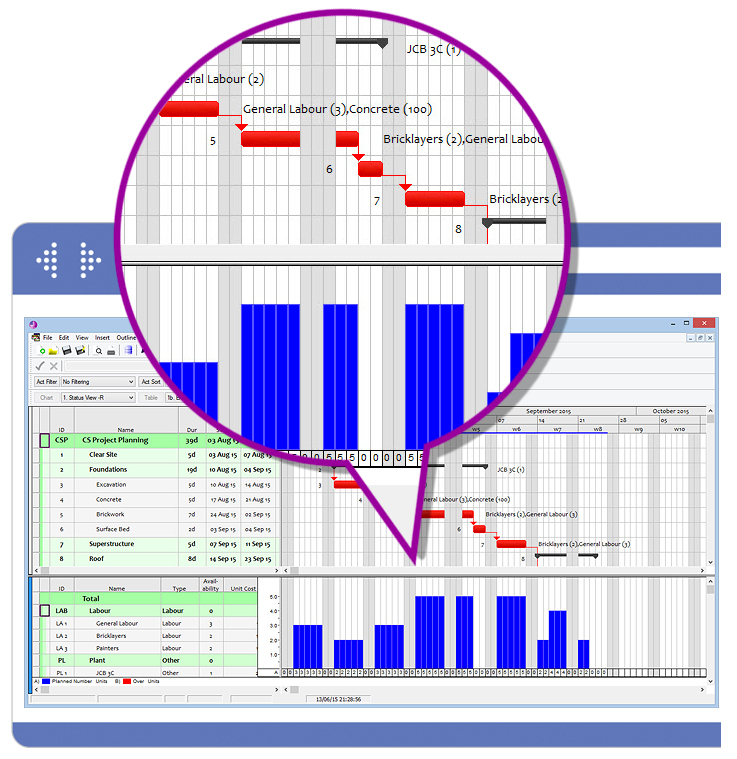
- Which resources are over-allocated
- When more resources are required to finish a project on time
- When money will be committed
- When the project will break even
- If any new projects can be taken on by the company
Exchange Data
- Transfer text between programs using the clipboard (e.g. between CS Project and a spreadsheet)
- Transfer projects to other systems (e.g. estimating, planning, time chainage, reporting, risk analysis etc.) using the MPX format
- Share project data seamlessly with CS Project Professional
- CS Project Lite and CS Project Professional files are interchangeable
- The two products can be used in any combination. Any advanced features that may have been used in CS Project Professional will calculate correctly in CS Project Lite, even if these features are not inherently supported
Manage time and cost
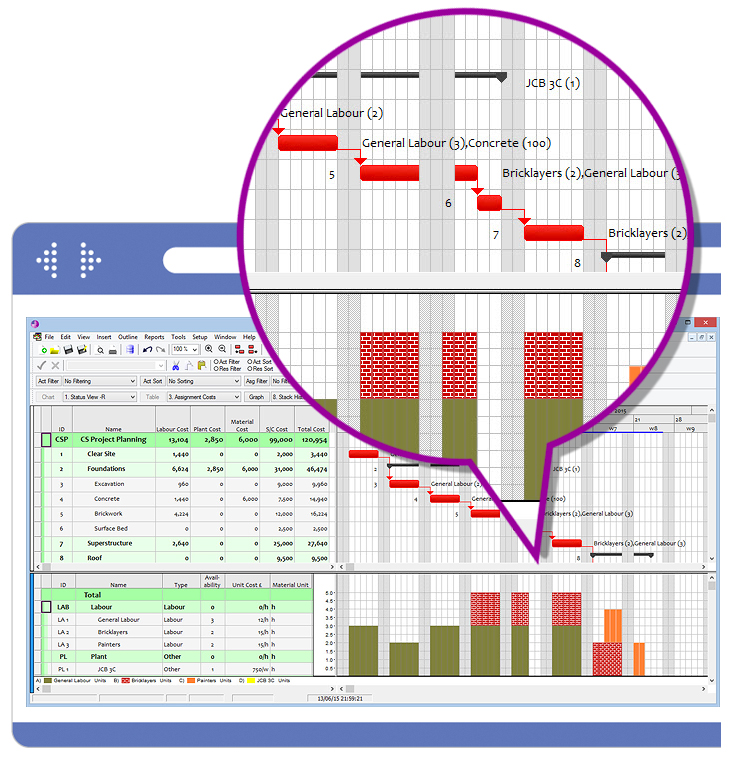
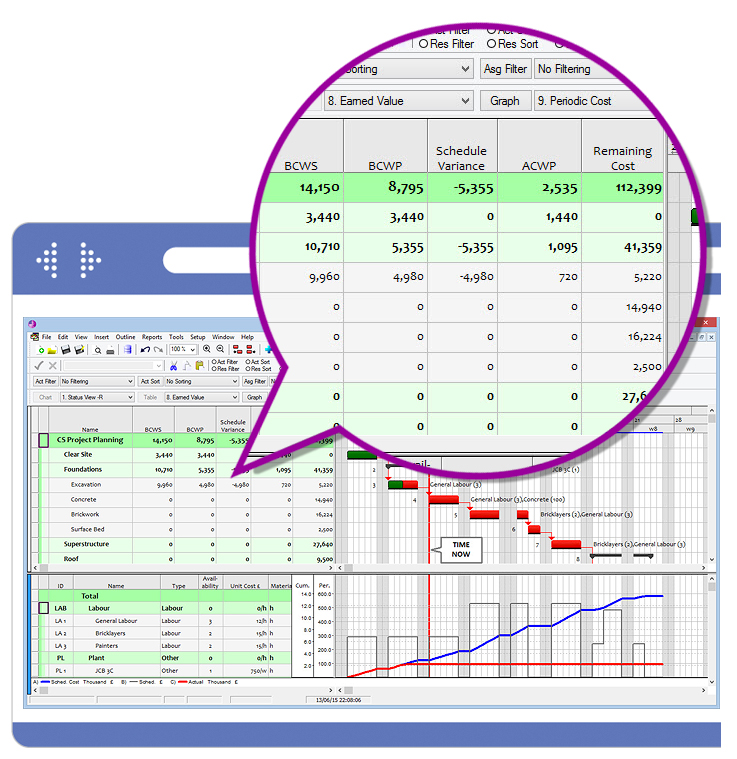
The bar chart displays the tasks that have to be performed, as well as when they have to start and by when they have to be finished. It can also show the order in which work has to be done.
- Linking tasks using FS, SS, FF, SF constraints with leads/lags
- Promote/demote tasks to build up WBS outline
- Expand/collapse summary tasks in Gantt and display multiple bars on one line
- Store a baseline plan for comparisons between the current schedule and schedule and the original plan
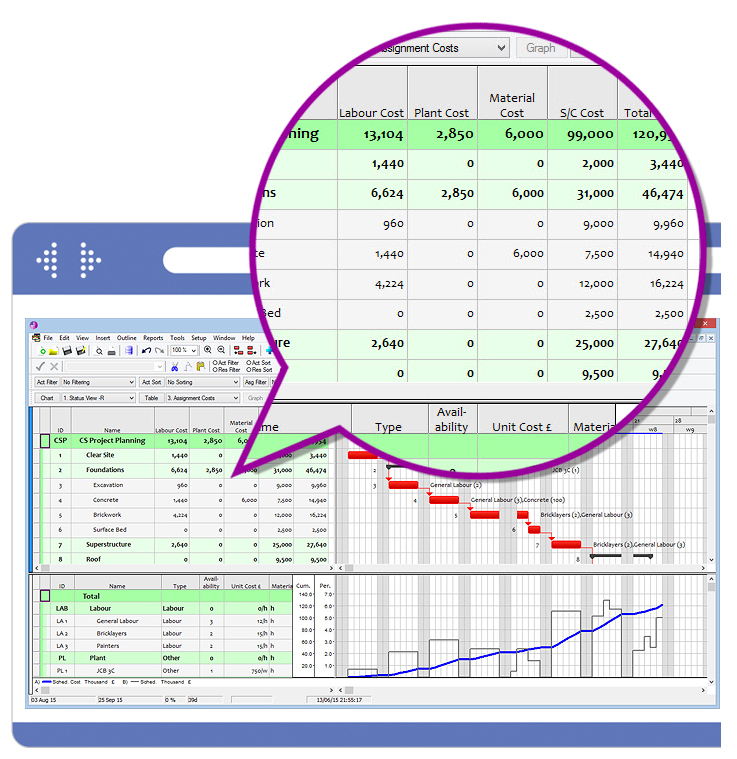
- Forecast cost using Labour, Plant, Material, Subcontract and Prelims
Link tasks
Linking tasks using FS, SS, FF, SF constraints with leads/lags
- Plan and track fixed costs
- Promote/demote tasks to build up WBS outline
- Expand/collapse summary tasks in Gantt and display multiple bars on one line
- Store a baseline plan for comparisons between the current schedule and schedule and the original plan
Manage resources
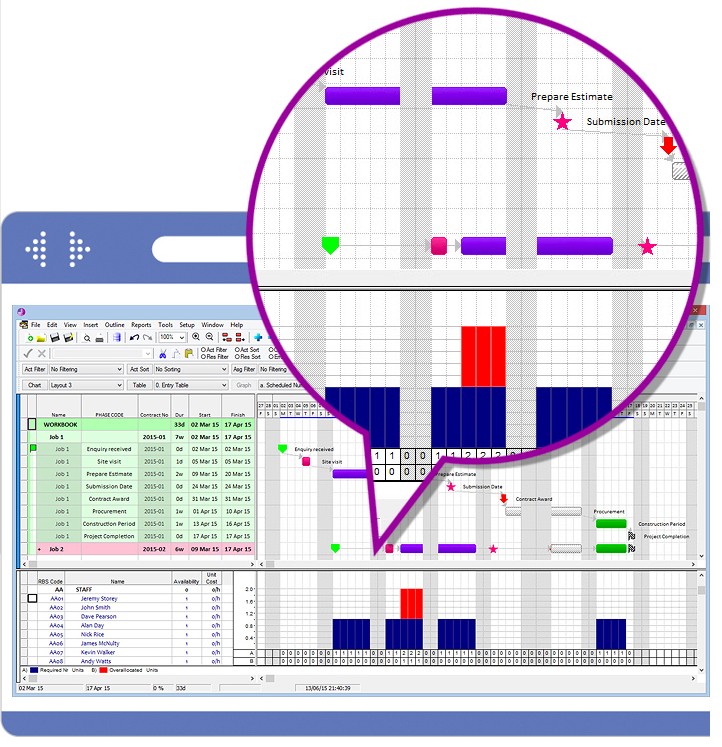
The histogram is used to display and manage the usage of labour. Over-allocations of resources are highlighted, showing you where and when more resources are required to complete the tasks on time.
- Assign resources by dragging and dropping onto tasks
- Promote/demote resources to build up RBS outline
- Summarise resource usage according to the outline structure
- Unit costs allow accurate costing to be done
Report effectively
- Create presentation quality charts and reports on any output device supported by Windows
- Print all reports in multi-page, banner (wallchart) or force-to-pages format
- Customise reports in terms of layout, fonts, colours, symbols, fill styles
- Incorporate your company logo
- Use the screen preview to check your reports before producing prints
System requirements
- Supports 32 & 64 bit Windows for XP, Vista & Win7
- Minimum 1Gb of RAM recommended
- Hard disk with approximately 100MB free disk space
- Can be installed on workstations or network servers
- Any printer or plotter supported by MS Windows
CS Project PROFESSIONAL - full features
Close
Benefits of CS Project
- Roll up multiple bars onto one line
- Full control over resource levelling
- CARLO (Cost and Resource Levelling Optimisation)
- Matrix reports & Network diagram
- Splitting of tasks
- Overtime
- Variable availability and unit cost escalations
- Multiple calendars for tasks, links, resources and projects
- Multi-project management, schedule up to 200 concurrent projects and create
- Cross Project links
- Monte Carlo risk analysis
- ODBC based data exchange system for data repository
- 10 level Undo/ Redo facility
- Unlimited resource assignments per activity
- Group data by any task or resource field
- Task/resource code libraries for large or complex projects
- Store an unlimited number of baselines
- User-level security for complete control over access to projects
- View any custom time period with Report Calendars
Project Suitability
CS Project can be used successfully in many spheres of business:
- Ladder Links allow planners of construction projects to schedule overlapping work correctly
- The ODBC-based data exchange system allows maintenance planners to import work requests from maintenance management systems (database)
- The assign bar chart view allows production planners in a job shop to decide when to fit new orders into the existing schedule
- Material resources and unit cost escalations allow a plant engineer to plan and control spare parts and labour requirements for services several years in advance
- Flexible calendar management allows the project manager in a software development project to handle skilled individuals effectively
Manage time and cost
The bar chart displays the tasks that have to be performed, as well as when they have to start and by when they have to be finished. It can also show the order in which work has to be done.
- Linking tasks using FS, SS, FF, SF constraints with leads/lags
- Promote/demote tasks to build up WBS outline
- Expand/collapse summary tasks in Gantt and display multiple bars on one line
- Store a baseline plan for comparisons between the current schedule and schedule and the original plan
- Forecast cost using Labour, Plant, Material, Subcontract and Prelims
Resource Management
- The histogram is used to display and manage the usage of labour, materials and equipment
- Over-allocations of resources are highlighted, showing you where and equipment
- Create a common resource pool to be shared by a number of projects
- Assign resources by dragging and dropping onto tasks
- Labour/material/other resources
- Make resource assignments effort or duration driven
- Escalate resource costs and vary availability over time
- Show assignment bars on Gantt. Delay resource assignment to start after task start
- Promote/demote resources to build up RBS outline
- Summarise resource usage according to the outline structure for single or multiple projects
- Define custom rules for resource levelling
Multi-project Management
- CS Project automatically consolidates all projects that are loaded at the same time in a workgroup view. This is used to show resource usage over all projects
- Open more than one project simultaneously
- Share a common resource pool in a group of projects
- Use the workgroup window (with Gantt / Resource / Pert / Assign Gantt / Crosstab views) to effortlessly consolidate data across projects
- Create links between tasks in separate projects
- Use sub-projects to build up large schedules
- Protect sensitive data with passwords on a project, resource table or ID level
Data Exchange
- Transfer text between programs using the clipboard (e.g. between CS Project and a spreadsheet)
- Transfer projects to other systems (e.g. estimating, planning, time chainage, reporting, risk analysis etc.) using the MPX format
- Import or export data from/to external databases using a simple, graphical ODBC interface
- Store and retrieve data from a central data repository (any ODBC database)
- Share project data seamlessly with CS Project Lite
- CSX file format which allows data transfer with Valesco
- Send complete project and reports via e-mail
- Send and receive portions of a project via e-mail for updating
Reporting
- Create presentation quality charts and reports on any output device supported by Windows
- Print all reports in multi-page, banner (wallchart) or force-to-pages format
- Print detailed periodic or to-date breakdowns of resource usage and costs
- Store multiple report and view layouts and switch easily between them
- Customise reports in terms of layout, fonts, colours, symbols, fill styles
- Incorporate your company logo
- Use the screen preview to check your reports before producing prints
Tracking Progress
- Store a baseline schedule of tasks and resource assignments for comparisons between the current schedule and the original plan
- Record actual start and finish dates, percent complete, actual and remaining durations for tasks
- Perform slip-to-date and stretch-to-date operations to reschedule projects based on actual data
Costing
- Set up an accurate costing for your project with expenditure and revenue
- Then display a cashflow curve of committed costs
- You can also track progress with S-curves of resources or costs
- Plan/track fixed costs (per task) as well as variable costs (by resource usage)
- Summarise costs according to RBS/WBS structures for single or multiple projects
- Use tasks and assignment baselines for detailed Earned Value Analysis
System requirements
- Supports 32 & 64 bit Windows for XP, Vista & Win7
- Minimum 1gb of RAM recommended
- Hard disk with approximately 100MB free disk space
- Can be installed on workstations or network servers
- Any printer or plotter supported by MS Windows
› Media
› Terms
› Privacy
© Crest Software Ltd. All rights reserved. Registered in England & Wales No. 253 3074. VAT REG No. 543 5554 40
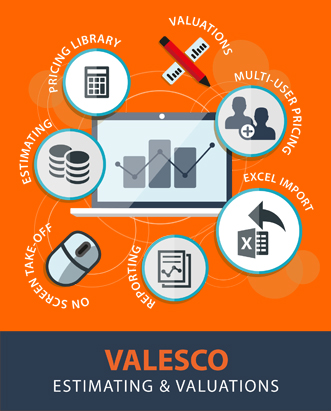
Valesco Estimating is designed to enable you to work from an imported BoQ or from a manually created BoQ using drawings/specification.
Valesco Estimating is multi functional and by way of a common data file format allows a seamless transition from estimating to post contract status. Our estimating software has been written specifically for the Windows environment and incorporates all the facilities you would expect to find in modern Windows software plus a great deal that you would not.
VIEW ESTIMATING PAGE FOR MORE...
Valesco Valuations is an essential tool for both the client and contractor's QS, Valesco Valuations is more than simple valuation software.
Valesco Valuations can be used independently or in conjunction with our estimating system Valesco Estimating (estimate data from other systems is readily imported by means of a text file).
VIEW VALUATION PAGE FOR MORE...
CS Project Planning
Close
Take Control by implementing Crest Software’s leading construction and engineering software solutions with the confidence that your management tools are supported by construction professionals who understand your precise requirements.
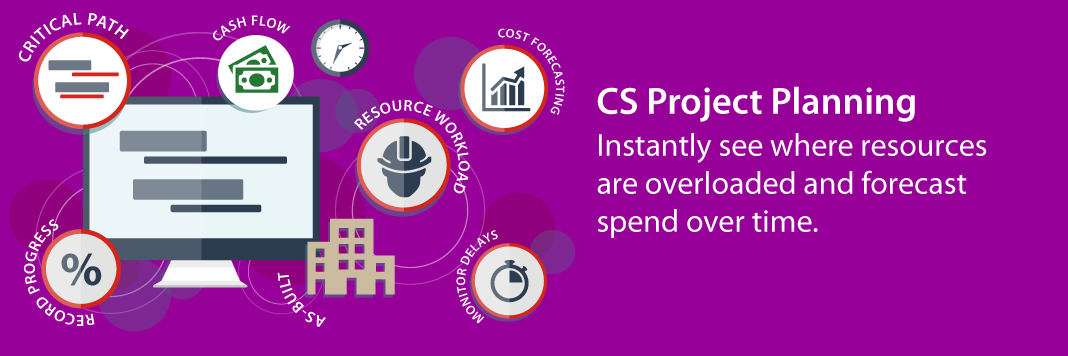
CS PROJECT is the premier tool for planning and monitoring projects of any size.
VIEW PLANNING PAGE FOR MORE...
CrestDOCS Drawing and Document Control
Close
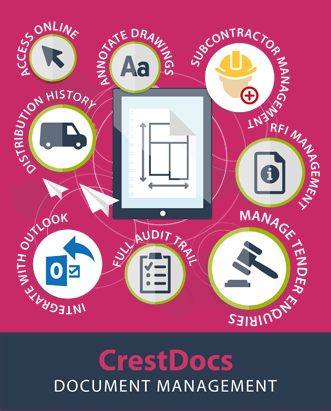
CrestDOCS is a comprehensive drawing and document management system
Designed to control the day-to-day issue and receipt of drawings, drawing approvals, requests for information (technical queries), site instructions and other contract correspondence (including emails) and documentation.
VIEW DOCUMENT MANAGEMENT PAGE FOR MORE...